Get more interviews with Autofill.
Pass every one with our AI Interview Copilot.
What takes hours now takes minutes. Find matching jobs, tailor your resume, apply in one click, and get live answers in the interview.
Try a free session — no credit card, no commitment
Not worth it? Full refund within 30 days.
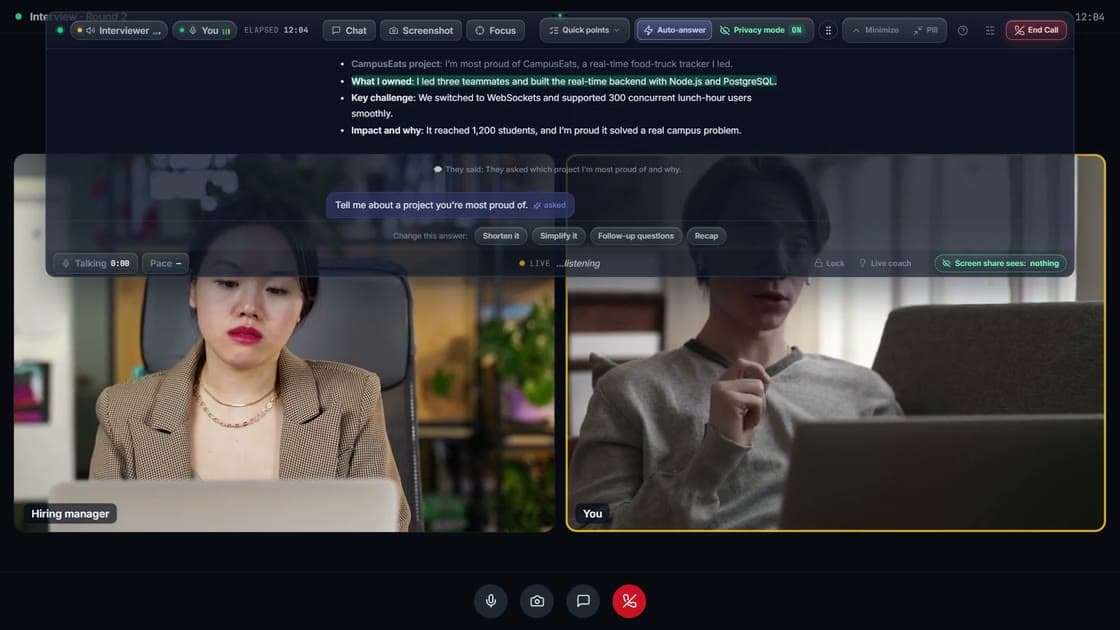
Watch the 60-second demo
10,000+ candidates have landed roles at
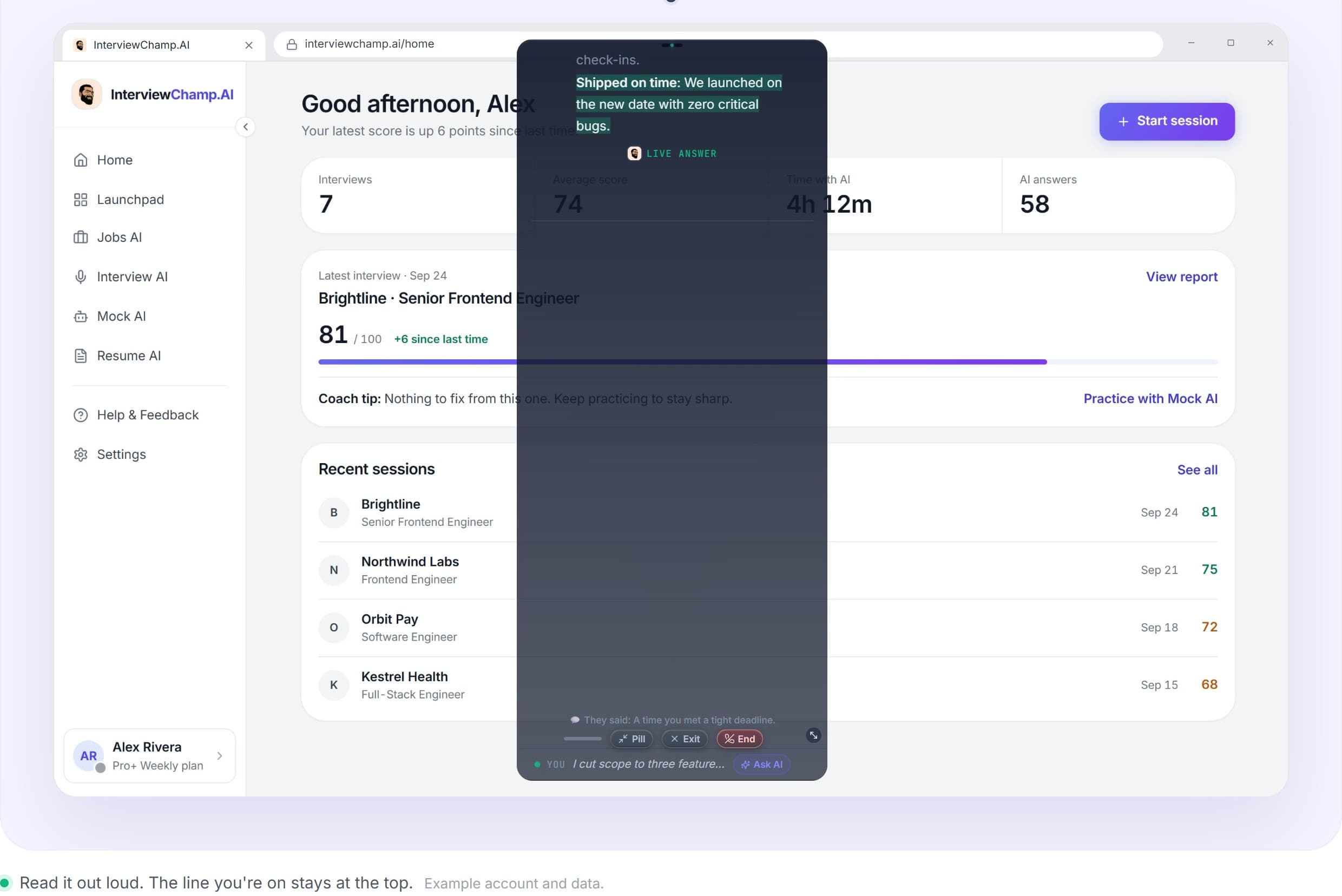
Live transcript cadence · sub-blink response, end-to-end encrypted
On Pro+, InterviewChamp doesn't show when you share your screen · Zoom · Meet · Teams · Webex
A resume that gets you the call
Build or upload your resume and see a score out of 100 right away. ChampMind turns “worked on X” into lines with real numbers.
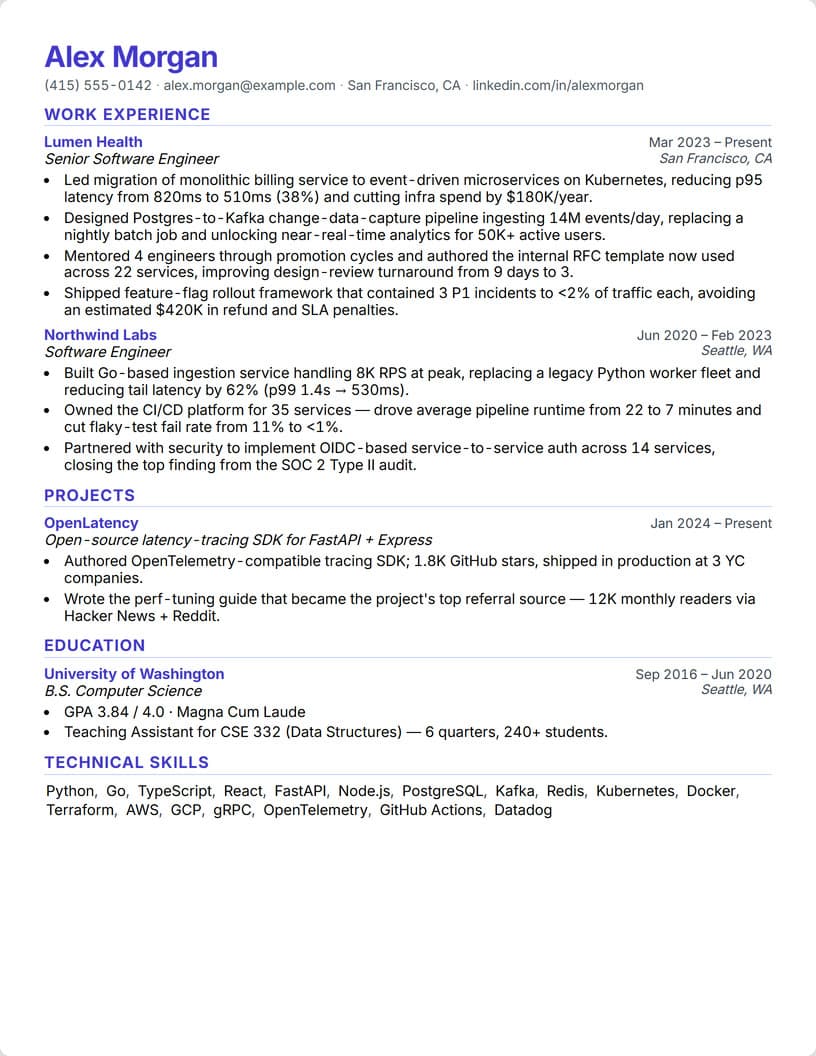
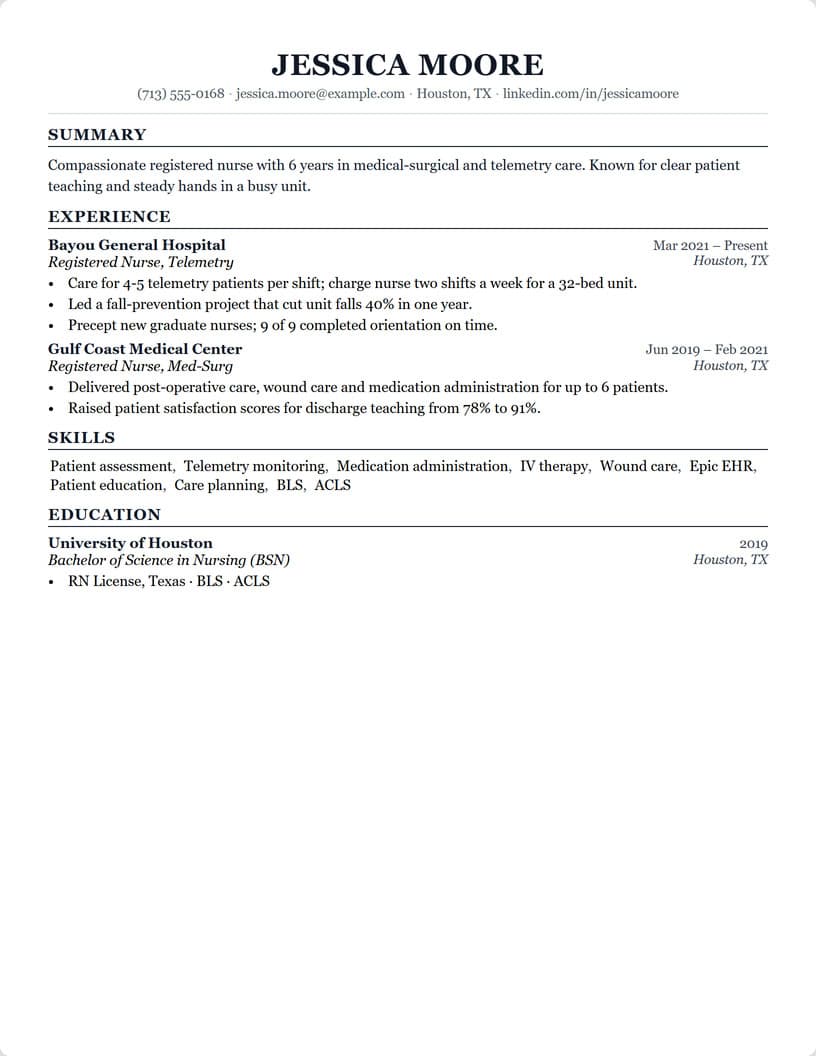
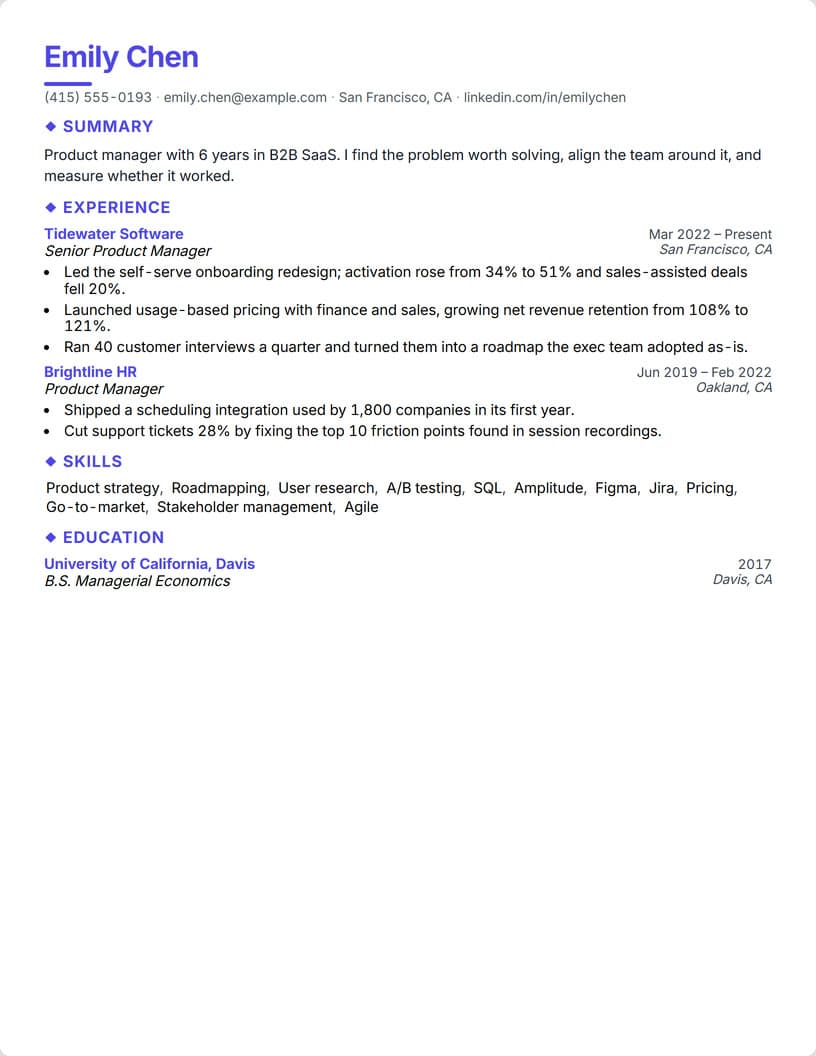
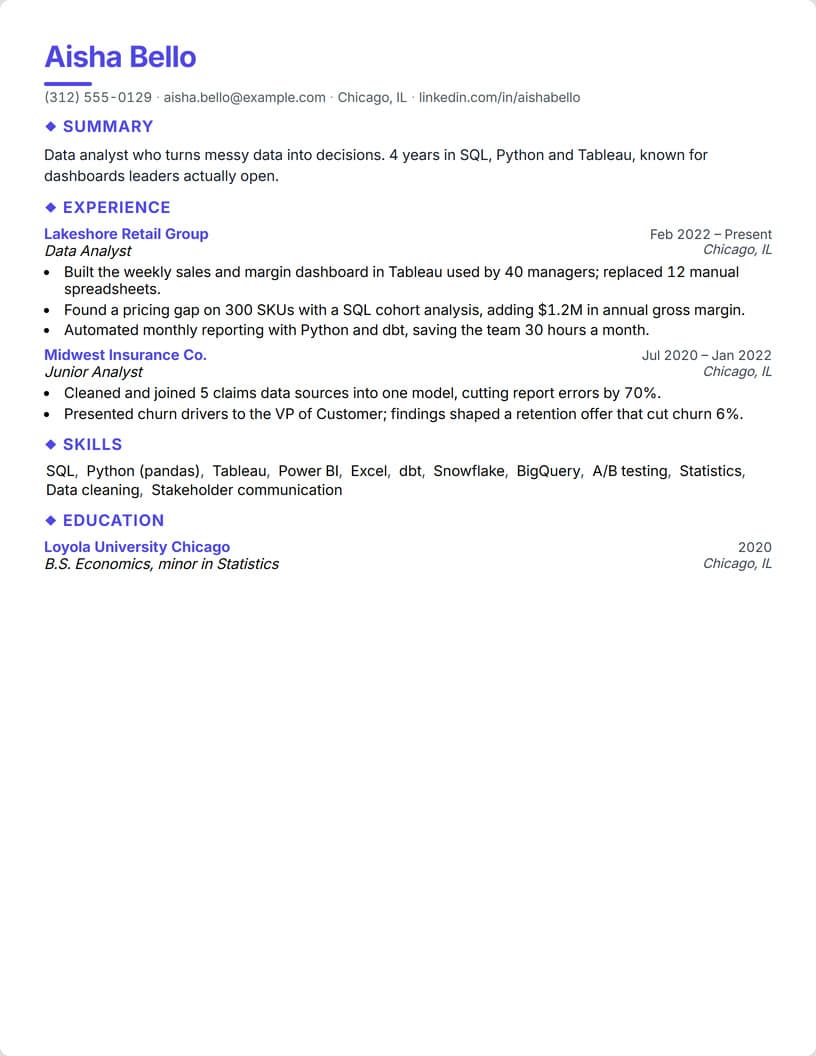
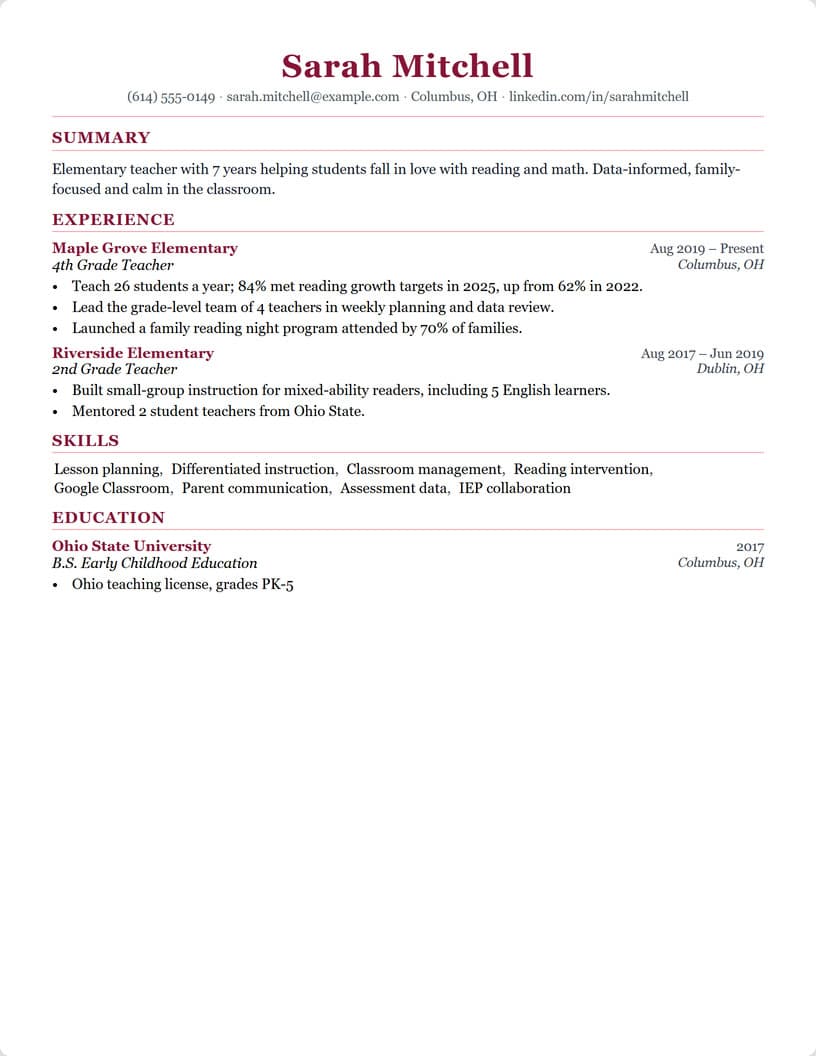
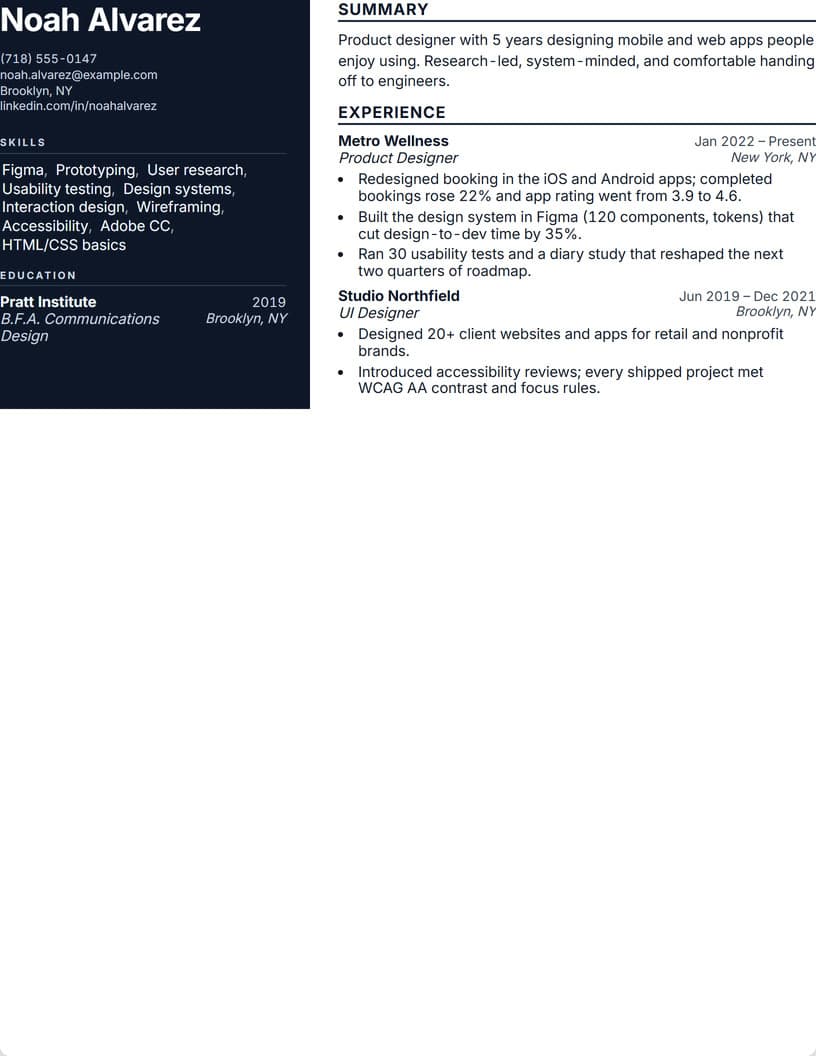
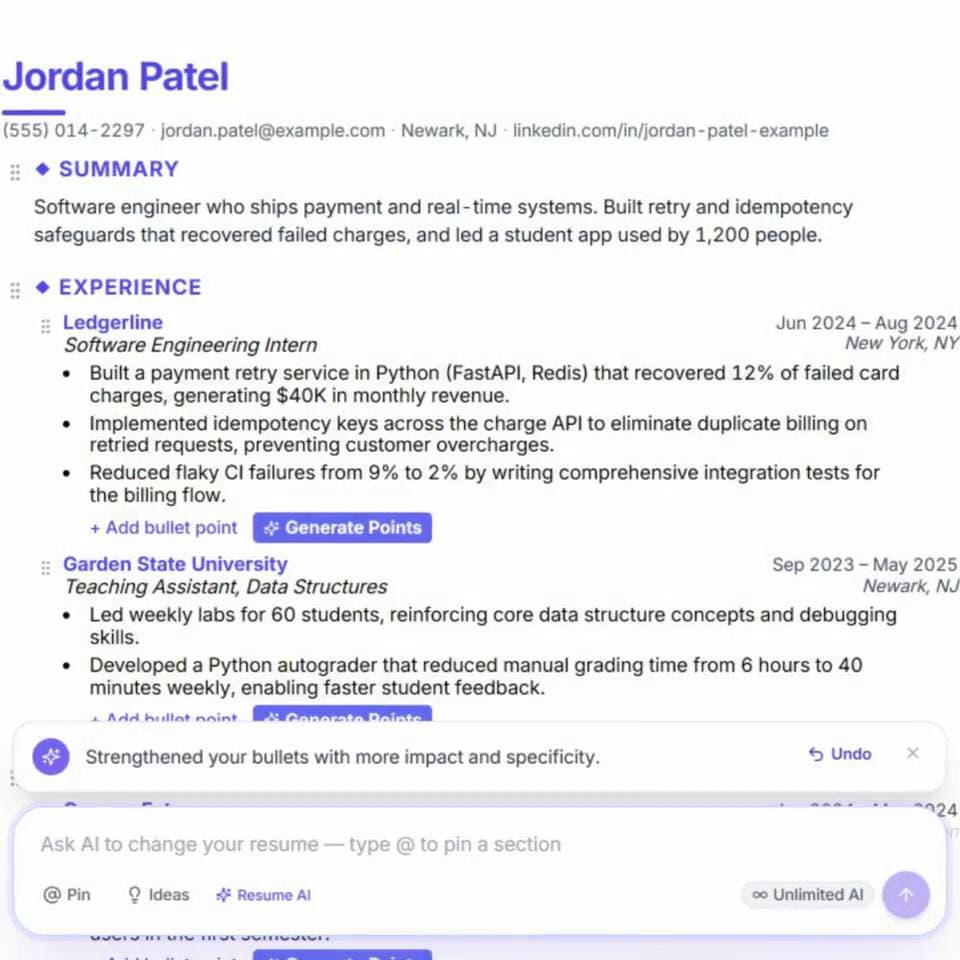
The same AI writes your resume.
Paste any role. The AI drafts a metric-driven, recruiter-scannable bullet, and your Resume Score climbs live across 7 categories.
Build my resumeReal example. The same AI that runs your interview drafts your bullets and re-scores them as you edit.
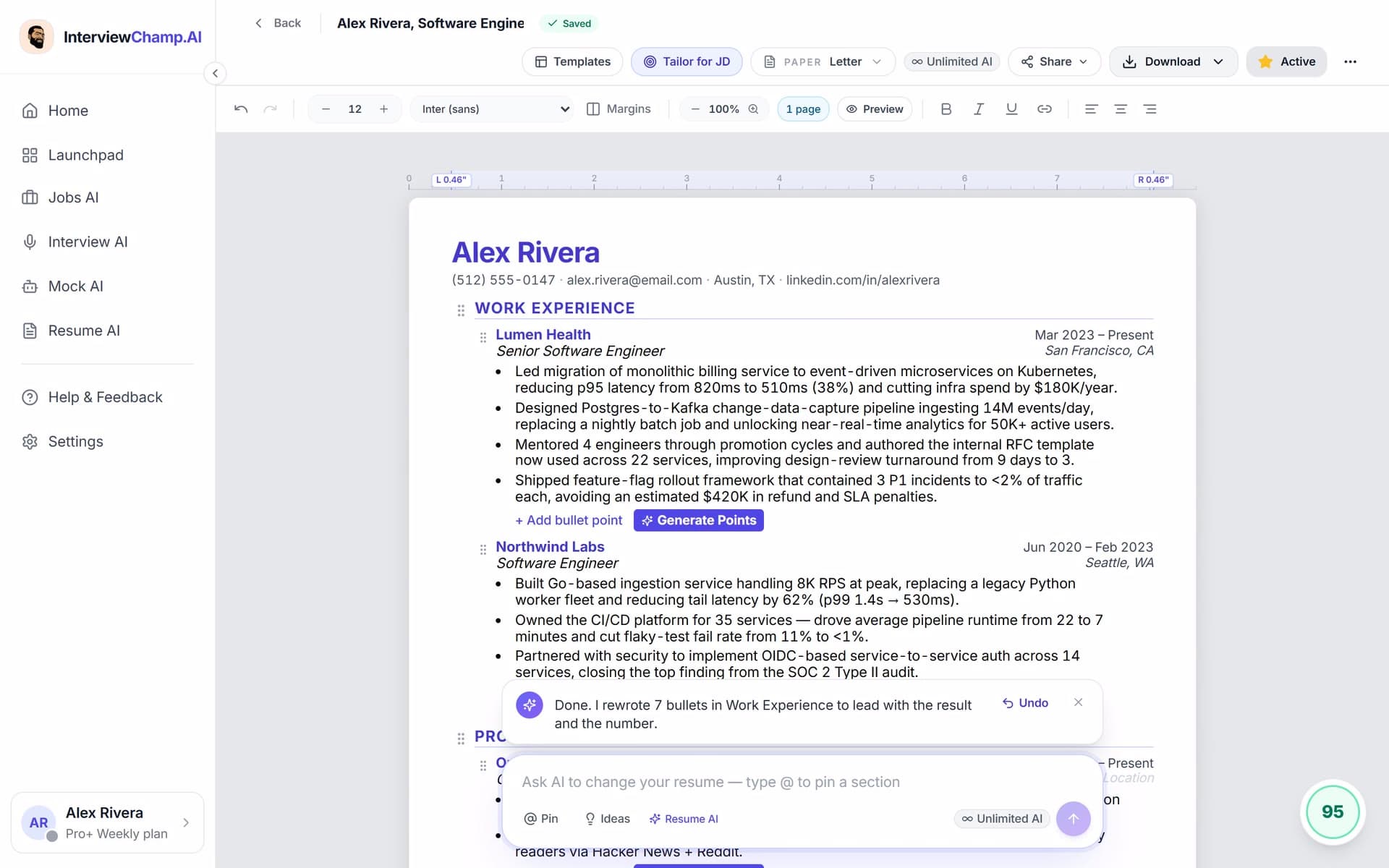
Recorded in the real Resume AI, with an example resume.
33 sample resumes to start from
Pick a job, open its sample in Resume AI, and make it yours.
Find jobs that match your resume.
Live engineering jobs in the US or remote, with senior titles left out, re-checked many times a day, each with your match score.
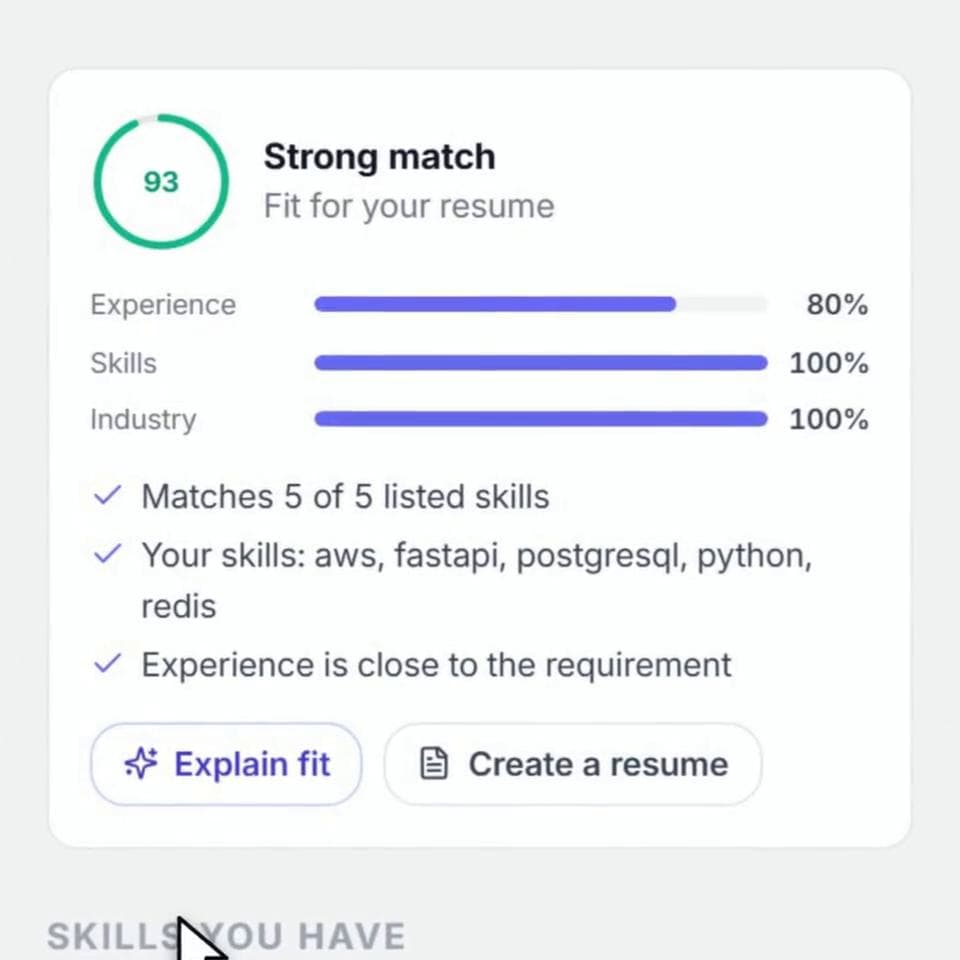
Find jobs that match your resume.
Browse live engineering jobs in the US or remote, with senior titles left out, taken from companies' own hiring systems and re-checked many times a day. Add your resume to see your match score on each job.
Browse jobs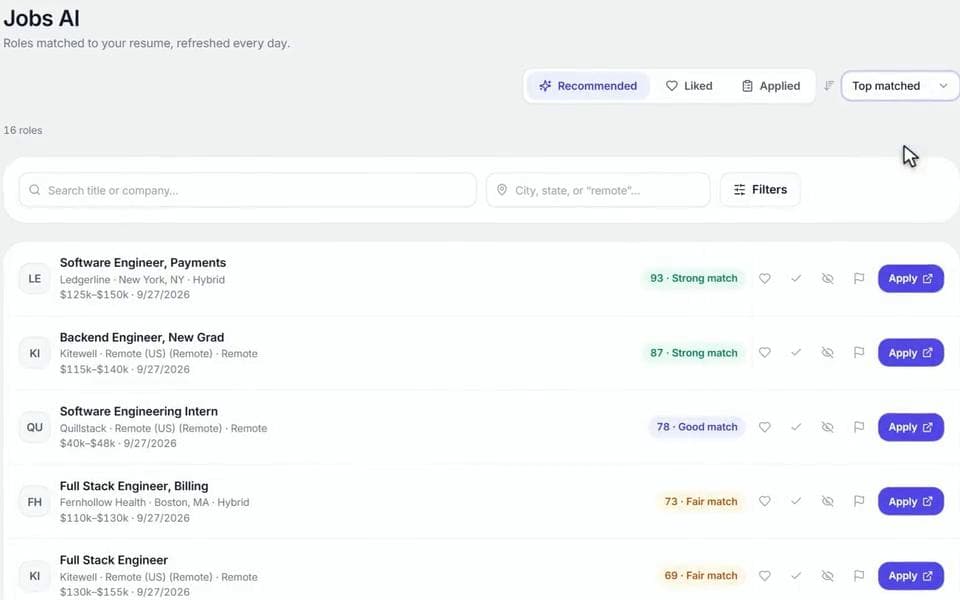
Applies to jobs in one click
Open any job application and the Chrome extension fills it in. You check it and hit submit.
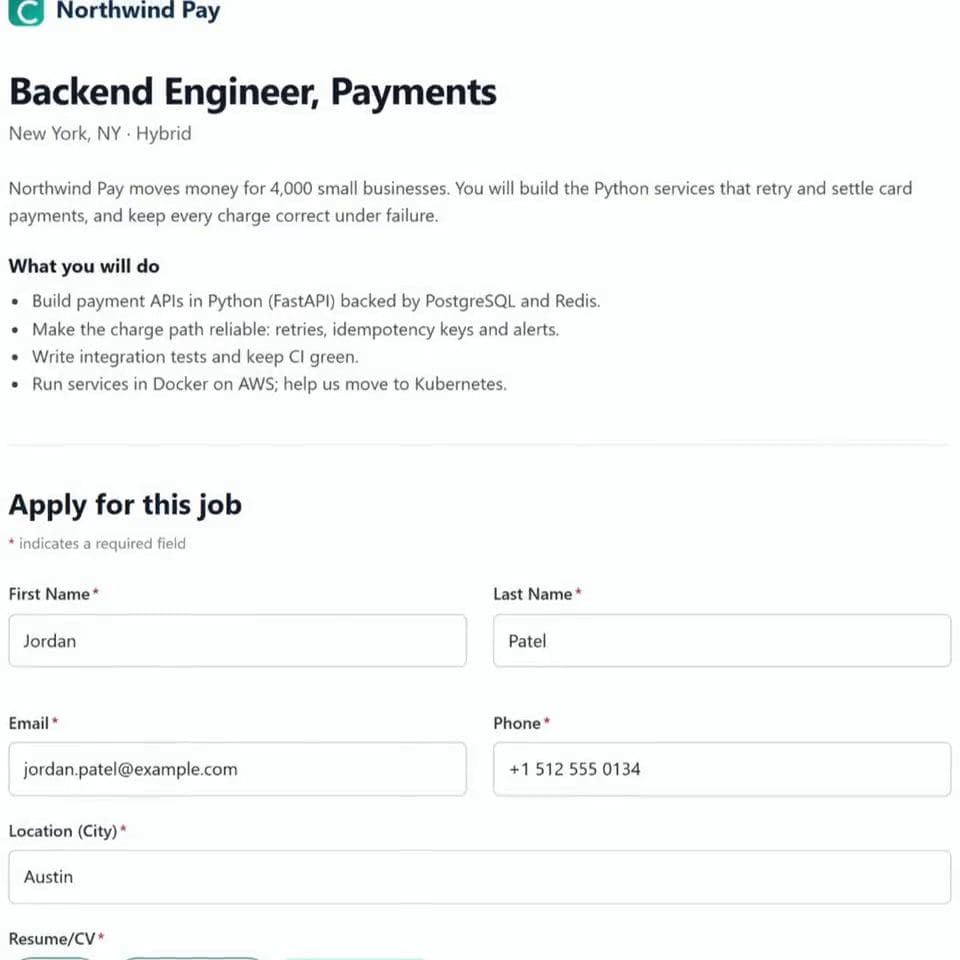
Applies to jobs in one click.
Open any job application and the Chrome extension fills it in: your details, your resume, and the tricky dropdowns. You check it and hit submit.
Add to Chrome, free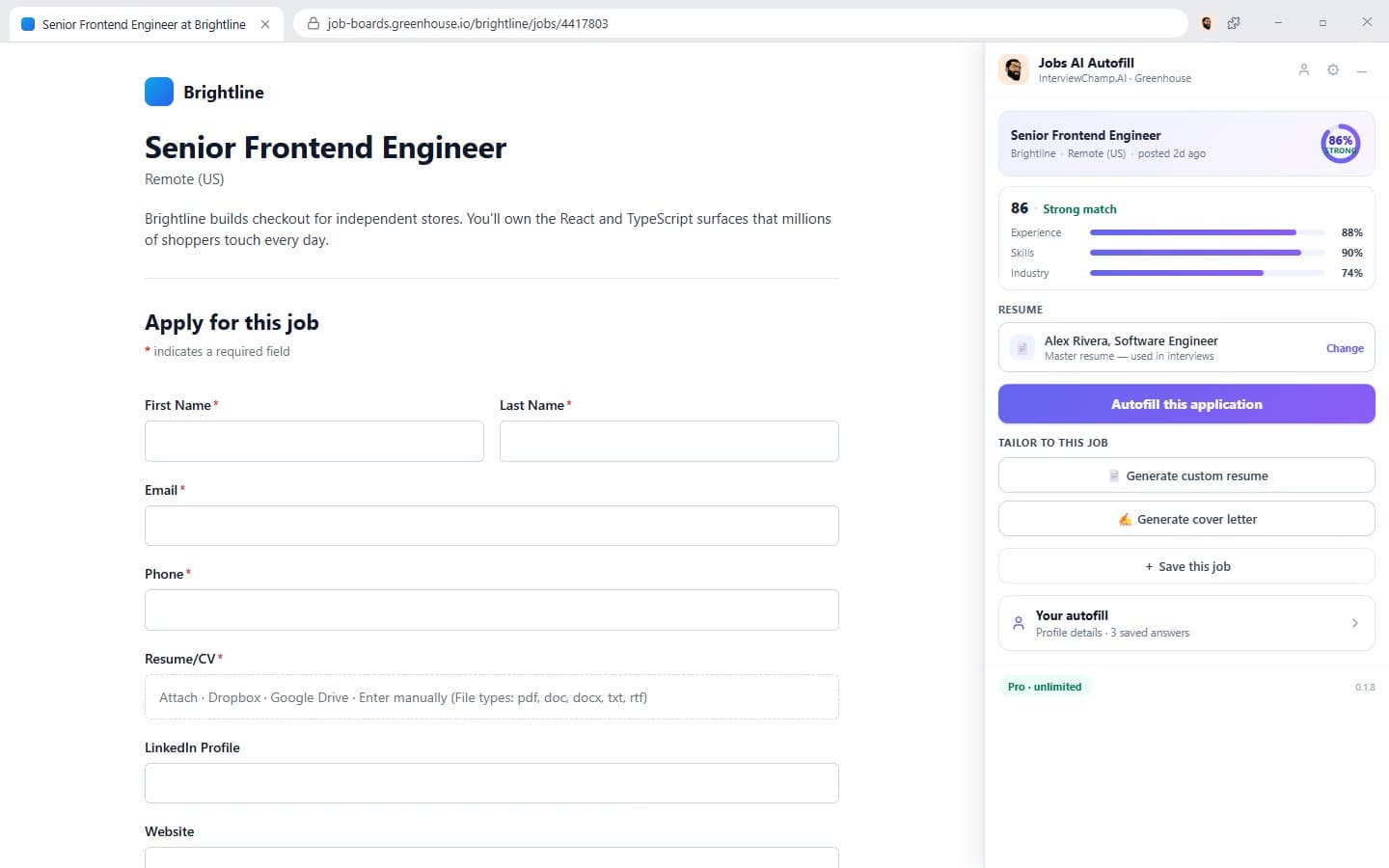
Recorded in the real Chrome extension, on an example job application.
A mock interview that feels like the real one.
The interviewer reads your resume, asks you questions out loud and follows up when an answer runs thin.
A mock interview that feels like the real one.
Pick who's across the table and the voice you want to hear. The interviewer reads your resume, asks you questions out loud and follows up when an answer runs thin.
From a friendly recruiter to a tough executive.
Your own projects and jobs, and the job post if you add one.
Live transcript and an AI Suggested Answer for every question.
What to fix, and a stronger version of each answer.
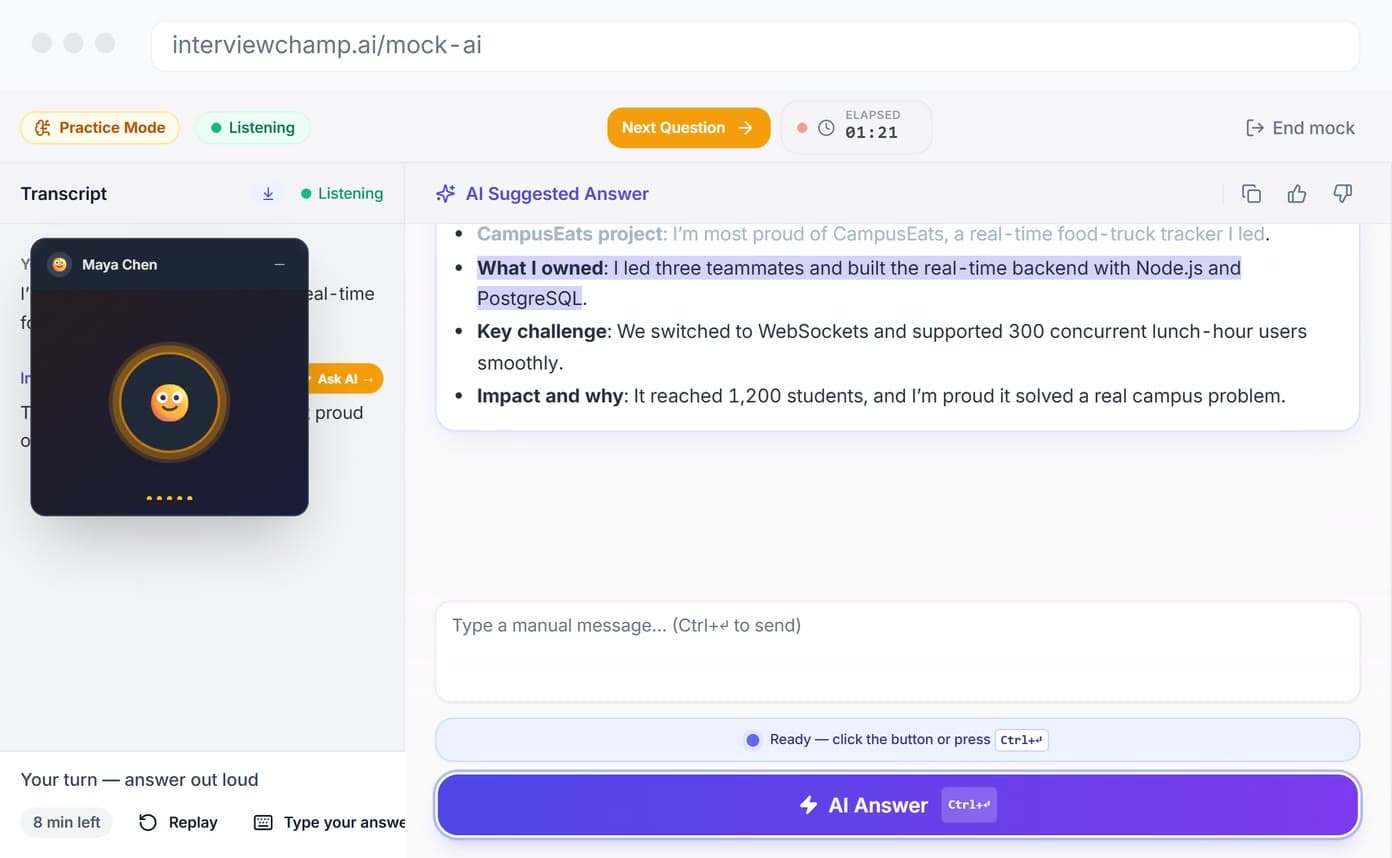
It hears the question. It answers on its own.
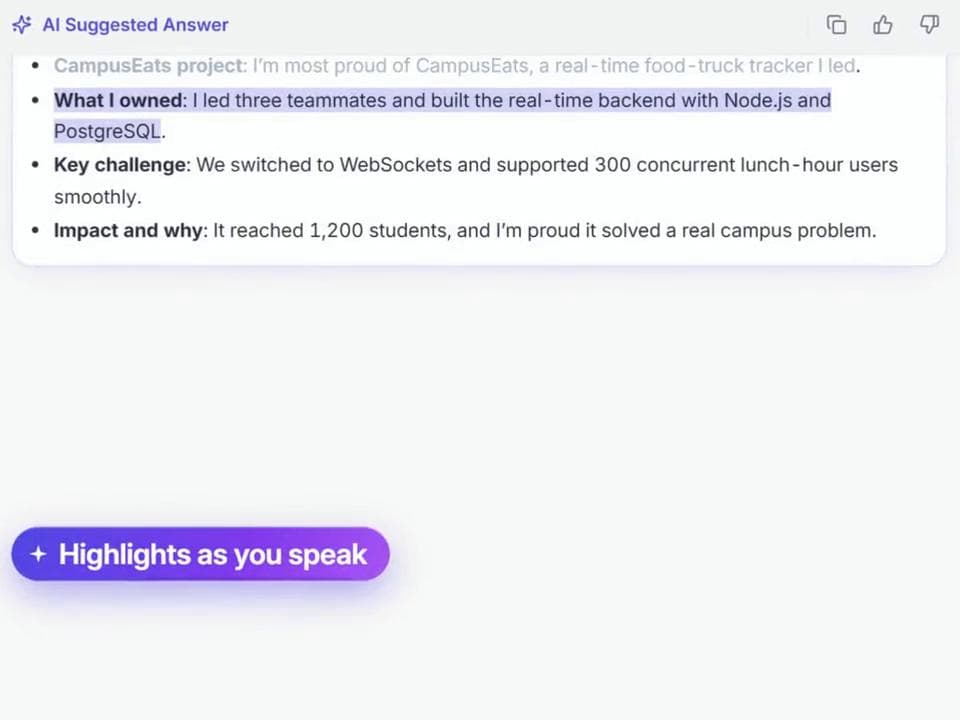
No clicking mid-interview. The answer is waiting, written from your resume and the job post.
How it works
It uses the capture-exclusion setting built into Windows and macOS, the same one password managers use for their pop-ups. On Free and Pro, the interviewer can see InterviewChamp if you share your screen. It doesn't hide anything from your webcam, your mic or the room. Run a share-to-self test to see it work, and check what the company allows.

Start on your phone. Then use it in your laptop's browser, or get the Windows or Mac app.
 Introducing ChampMind
It hears the question.
It answers on its own.
ChampMind is the AI inside every session. It follows the whole conversation, knows the interviewer from you, skips small talk, statements and background noise, and answers only the questions that matter. Hands-free, on the web and in the desktop app.
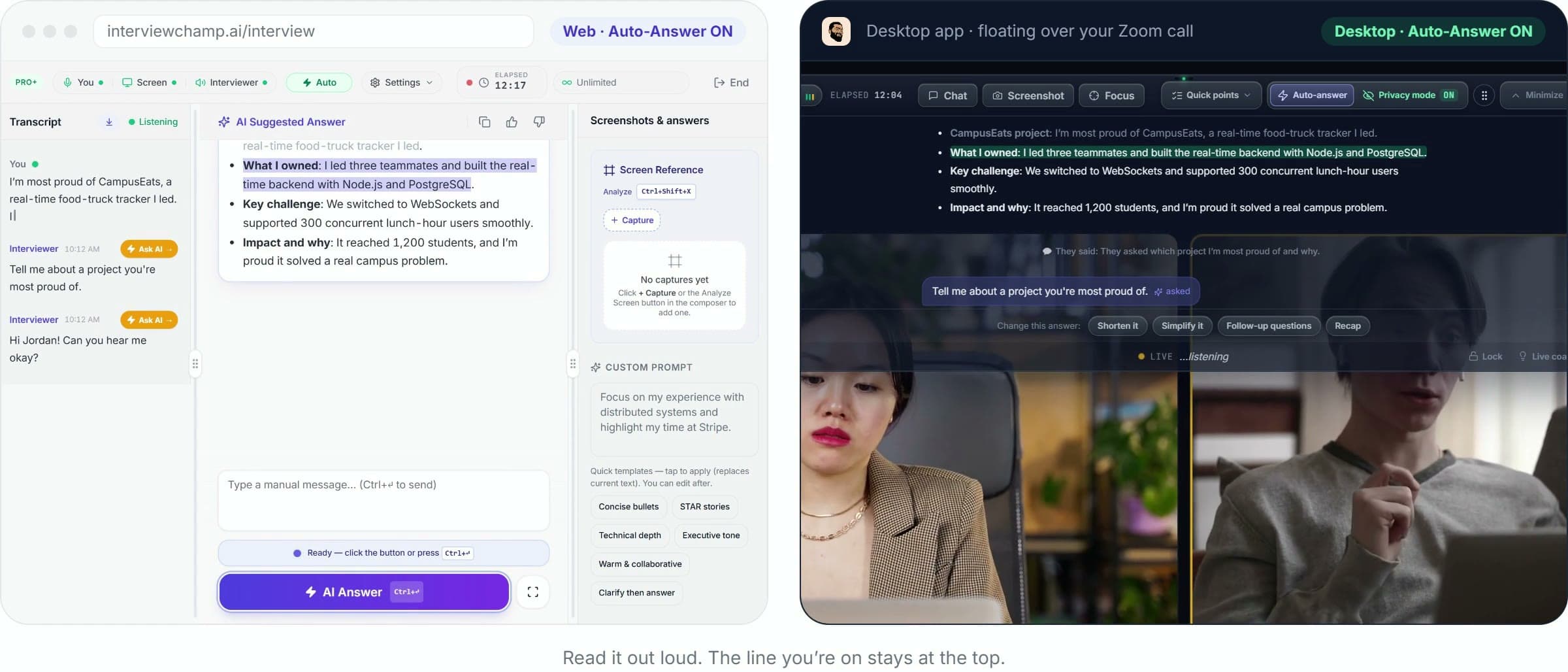
Tells the interviewers from you, even on a panel. It never answers your own words.
Small talk, statements and background noise are skipped. The questions that matter get answered.
No clicking mid-interview. The answer is waiting, written from your resume and the job post.
InterviewChamp doesn't show when you share your screen.
Same call, two views. On your screen, ChampMind answers live. When you share your screen, the interviewer sees the call and nothing else.
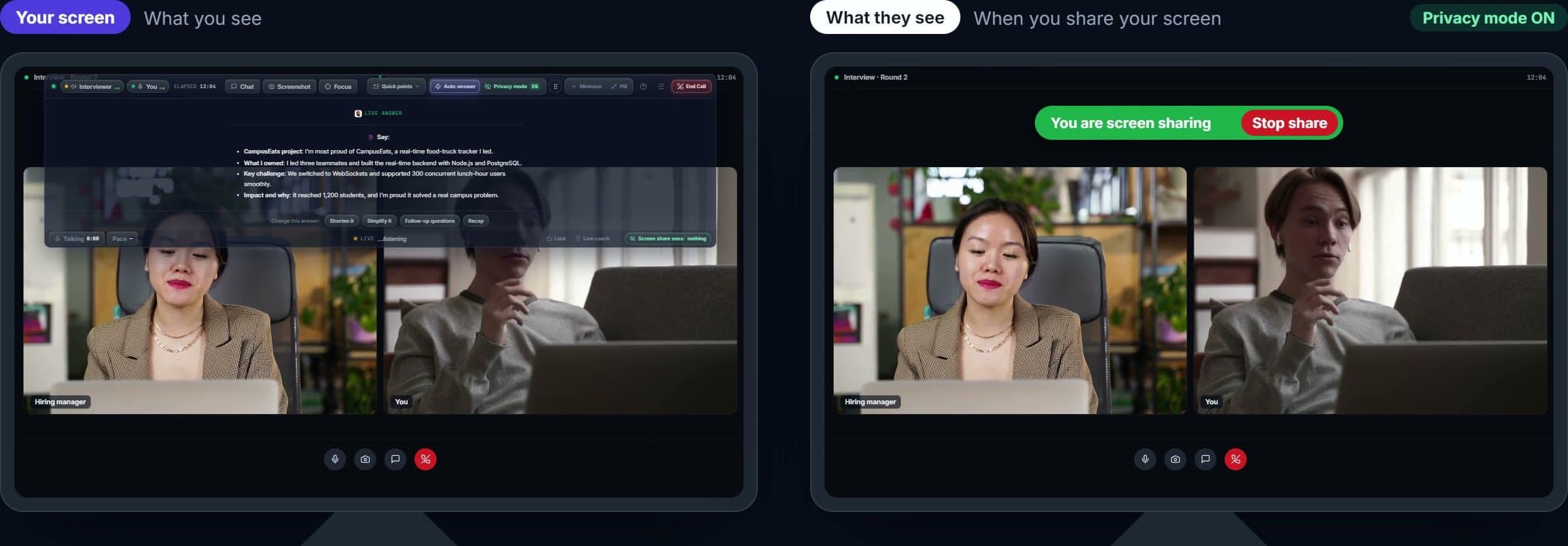
A floating panel, out of your way.
No extra icon next to your clock.
Zoom, Meet, Teams, Webex — at the OS level.
It uses the capture-exclusion setting built into Windows and macOS, the same one password managers use for their pop-ups. On Free and Pro, the interviewer can see InterviewChamp if you share your screen. It doesn't hide anything from your webcam, your mic or the room. Run a share-to-self test to see it work, and check what the company allows.
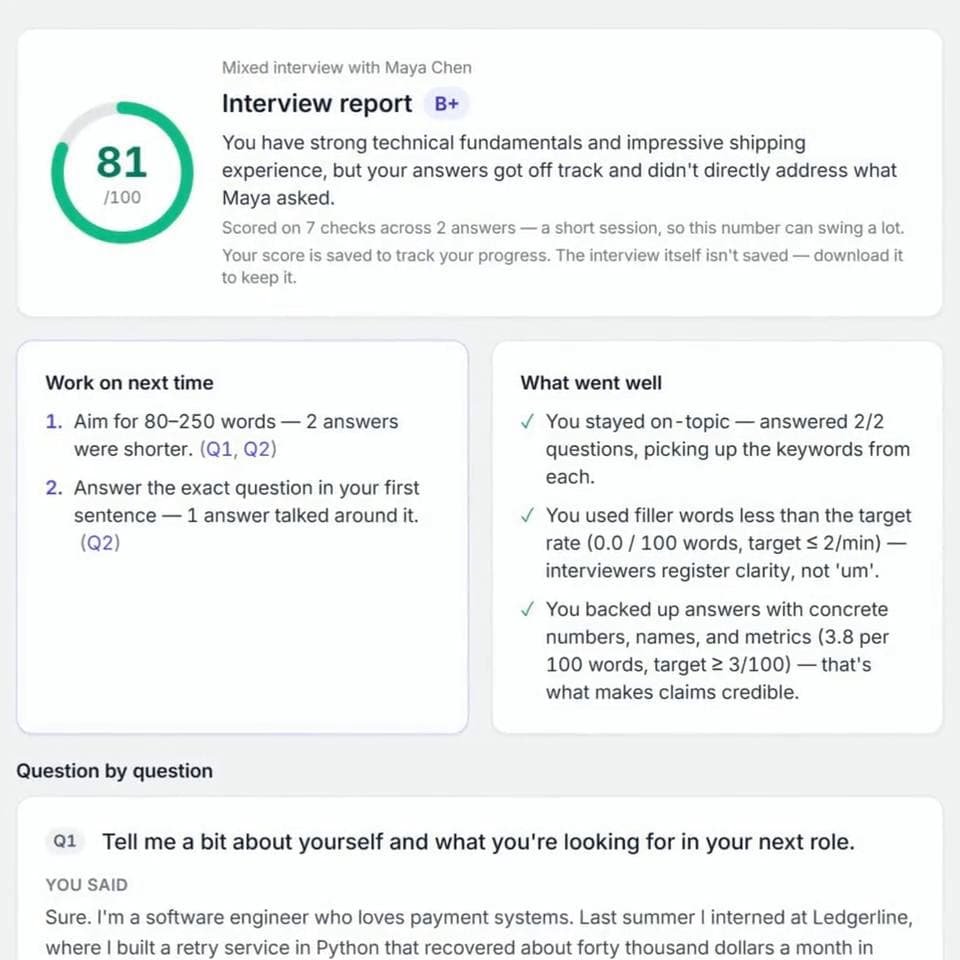
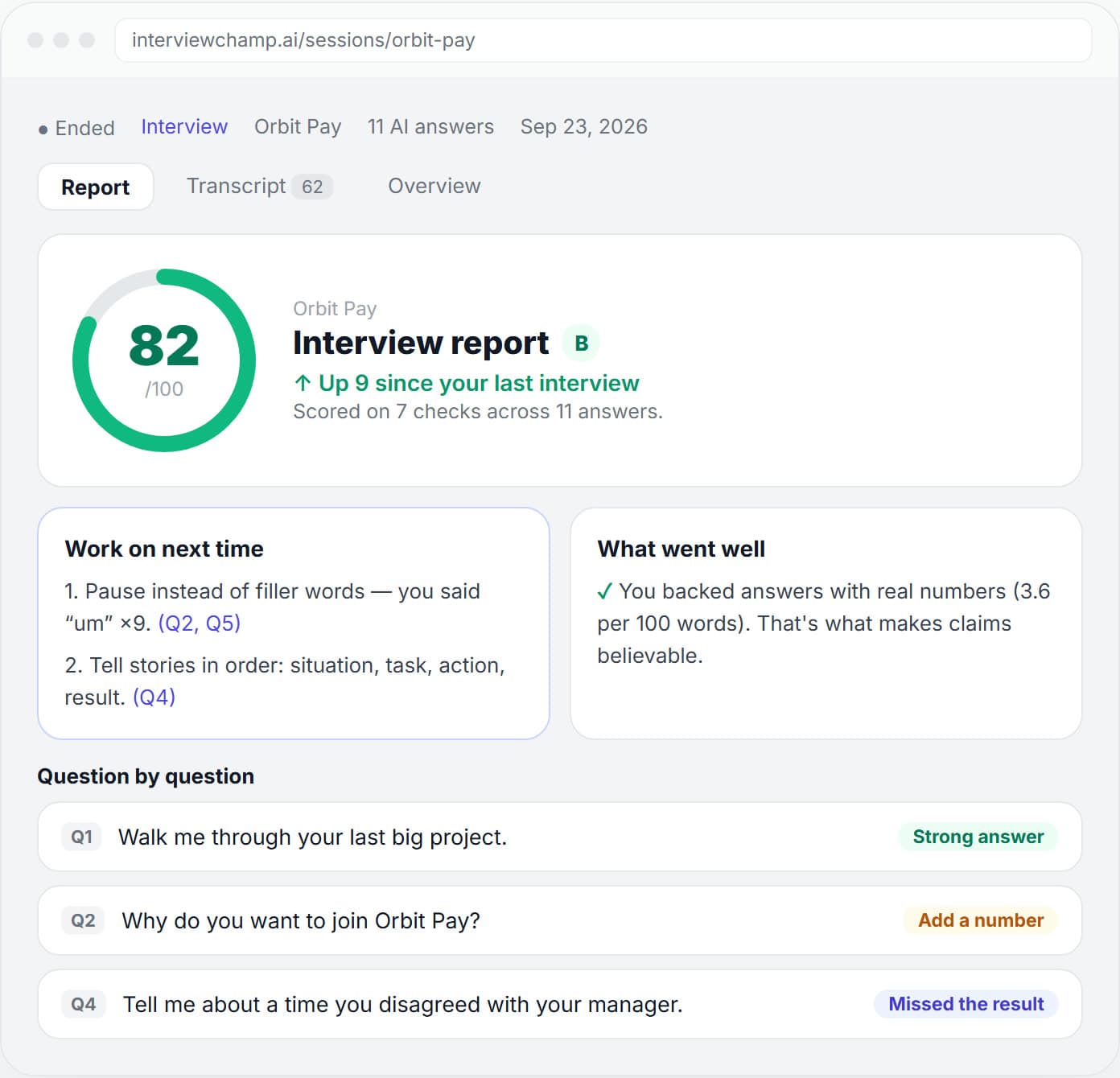
Your score, the minute you hang up.
Every answer is checked against 7 things interviewers listen for. You see what went well, what to fix next time, and a note on every question.
- A score out of 100, and how it moved since last time
- Filler words, story order, numbers and job keywords
- A stronger version of every weak answer
Desktop app, browser or phone.
Same ChampMind everywhere. Auto-Answer on all three.
Floats over Zoom, Meet and Teams and answers hands-free. With Full Privacy Mode, InterviewChamp doesn't show when you share your screen.
Download for WindowsNothing to install. Open it next to your call, share the call's tab, and ChampMind starts listening.
Try it freeSame web app on iPhone and Android. Set it next to your laptop and Auto-Answer does the rest.
Open on your phoneZoom · Google Meet · Teams · Webex · Phone · HackerRank · CoderPad · CodeSignal · Codility · HireVue · Karat · LeetCode
Why not just ChatGPT?
A general chatbot can't hear your interview. A study app can't draft answers in real time. We do both. On Pro+, InterviewChamp doesn't show when you share your screen.
Free to try. No credit card needed.
Pay as you interview.
To see if it actually helps.
No credit card needed
What's included
- 60 minutes of live interview help a month
- 15 minutes per session — extend while minutes last
- Hands-free Auto-Answer: tells the interviewer from you and answers only real questions, skipping small talk and filler
- ChampMind Lite on the free AI models
- 6 AI credits a day — shared by the resume builder, job tools & Chrome extension
- Jobs board, desktop app, screen reading
- 1 desktop install
For the months you're interviewing.
Covers one interview week
What's included
- Unlimited live interview help, sessions as long as you need
- ChampMind on every AI model: hears the question, answers from your resume and the job post
- Hands-free Auto-Answer: tells the interviewer from you and answers only real questions, skipping small talk and filler
- Unlimited tailored resumes and cover letters
- Applies to jobs for you in one click (Chrome extension)
- 2 desktop installs — work + home laptop
For interviews you can't afford to lose.
Final round this week? Start here
What's included
- Everything in Pro
- Stays private during the call: InterviewChamp doesn't show when you share your screen (desktop app)
- ChampMind Max: always the strongest model, never slowed down at busy times
- Unlimited Mock AI voice interviews
- 5 desktop installs — every laptop you own
Frequently asked questions
On Pro+, with the desktop app's Full Privacy Mode, InterviewChamp doesn't show when you share your screen. It's the same Windows and macOS setting password managers use. On Free and Pro, the interviewer can see InterviewChamp if you share your screen. It doesn't hide anything from your webcam or your mic, so check what the company allows.
Yes — up to 60 minutes of live AI per month, no credit card, in 15-minute runs with an opt-in when you start each new slab from your pool. Upgrade only when you need more.
A general chatbot can't hear your interview. A study app can't draft answers in real time. We do both. On Pro+, InterviewChamp doesn't show when you share your screen.
Once you start a session, the app listens to both sides of the call — you and the interviewer. You see a live transcript, so you can glance back if you missed a word.
Live help works on Zoom, Google Meet, Teams, Webex, phone calls and live coding rounds. For online tests, recorded video interviews and take-homes, use it to practice beforehand, not during the test.
No. It runs in your browser. We also have a desktop app if you want the AI to float on top of your call in a separate window.
Yes. Mock AI is a 10-minute practice interview. An AI interviewer that has read your resume asks you up to 6 questions out loud. You answer out loud, and the AI Suggested Answer shows for each question, the same as in a live session. At the end you get an overall score, what to fix, and a stronger version of each answer to practice. Free accounts get 1 mock a day.
Upload your resume or build one from scratch. You get a score out of 100 right away, plus a clear list of what to fix before you apply.
Yes. Cancel from Profile → Billing in one click. You keep access until the end of your billing period.